Meta creates a free WhatsApp number for your restaurant, in a few minutes, with no SIM card.
Meta creates a free WhatsApp number for you. Nothing to buy and no phone to prepare: everything happens on your computer, in a few minutes. Your customers see your restaurant’s name at the top of the chat.
To use a SIM card number, see Case 3; to keep a number already on WhatsApp Business, see Case 1.
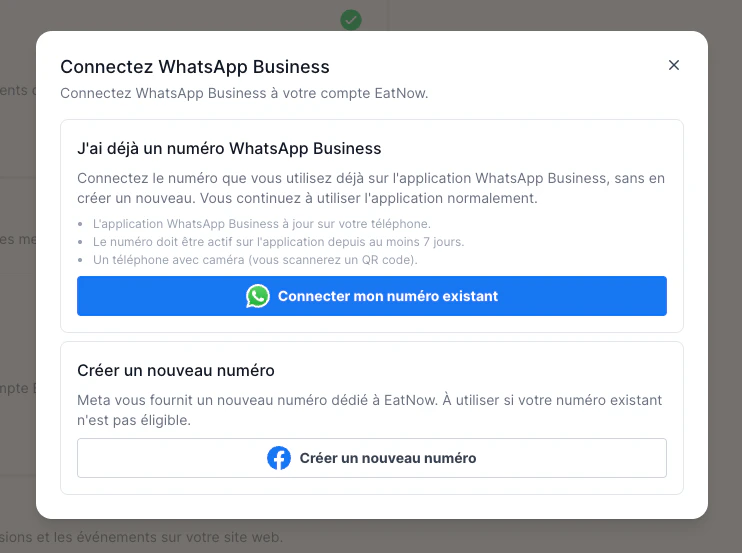
In EatNow, go to Settings → Integrations, find the WhatsApp card and click Connect.
2
Click “Create a new number”
It’s the bottom button, under “Create a new number”. A Meta window opens: log in with the Facebook account that manages your business.
Click “Create a new number”.
3
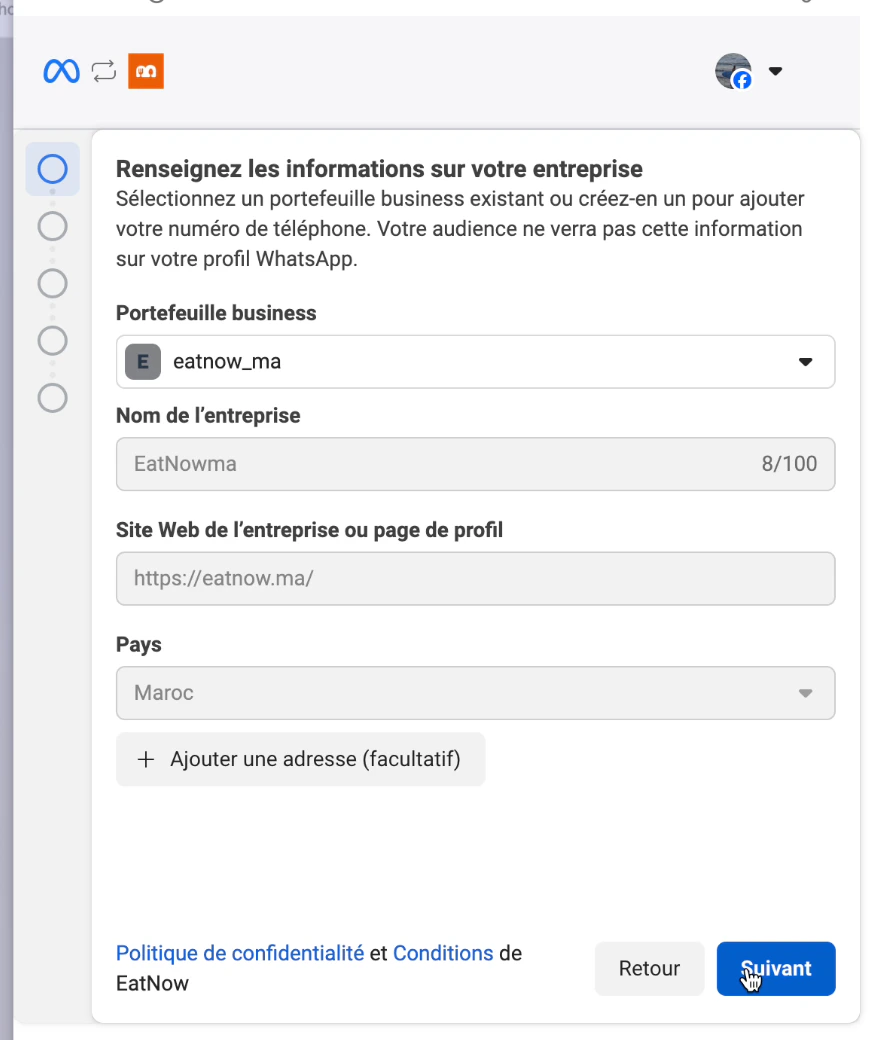
Choose your business
Choose your business portfolio from the list, or create one if there isn’t any.
Whenever a name is asked, type your restaurant’s name, spelled correctly: it’s what your customers will see.
Choose or create your business portfolio.
4
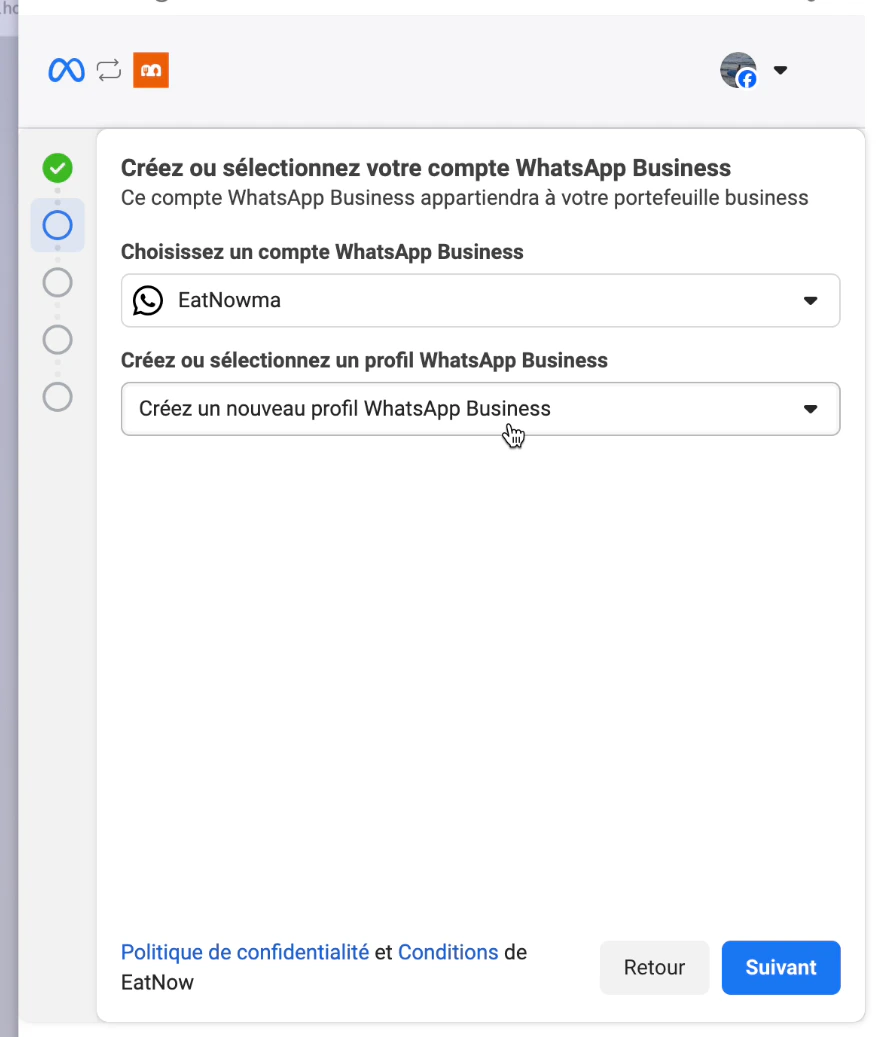
Create your WhatsApp Business profile
In “Create or select a WhatsApp Business profile”, choose Create a new WhatsApp Business profile, then click Next and fill in your restaurant’s information.
Create a new WhatsApp Business profile.
5
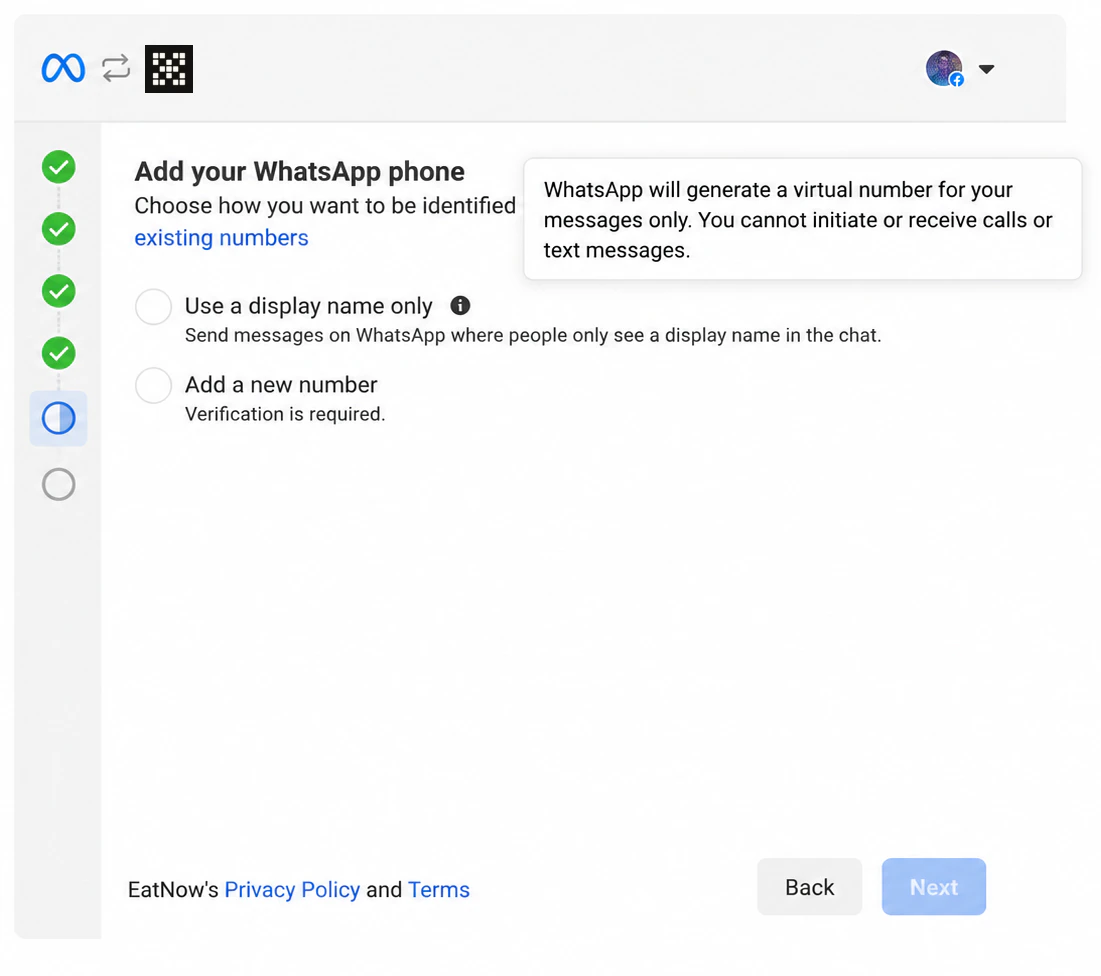
Choose “Use a display name only”
On the “Add your WhatsApp phone” screen, tick “Use a display name only”: this is Meta’s free virtual number. Click Next.
Tick “Use a display name only”.
6
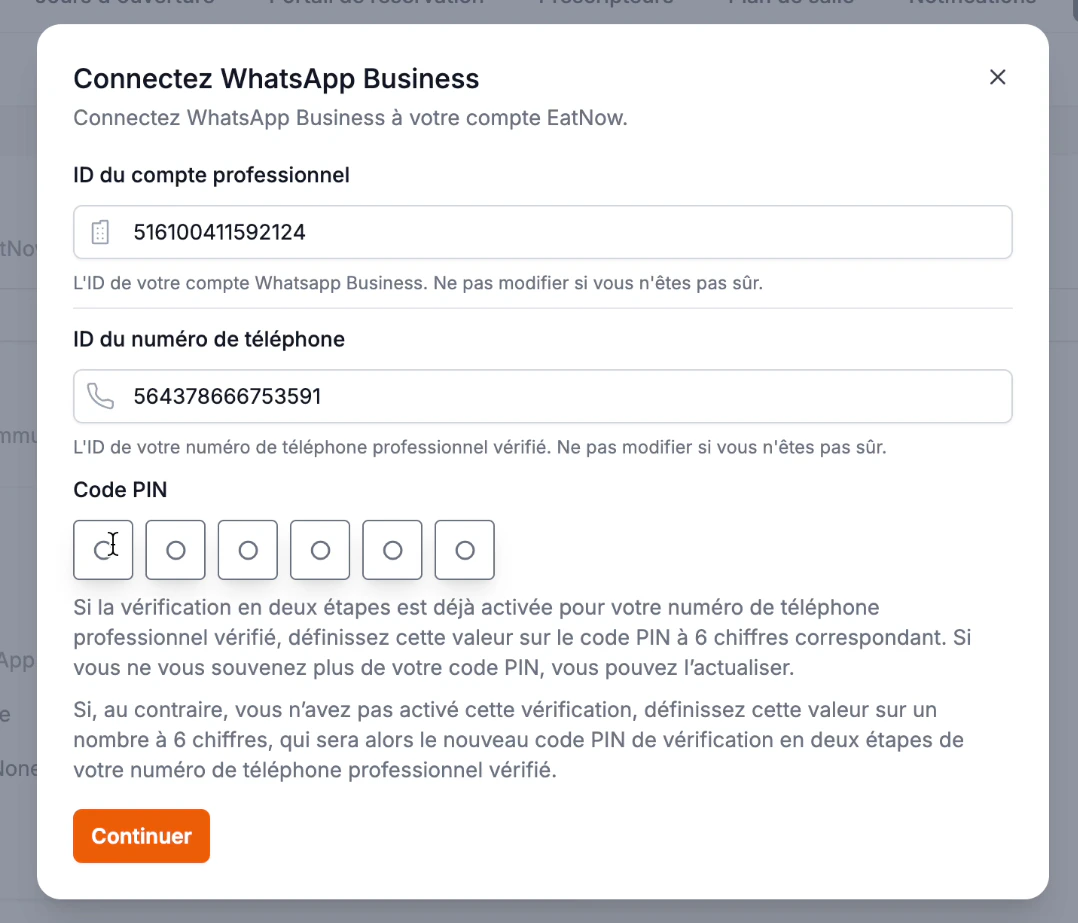
Choose your PIN code in EatNow
Back in EatNow, make up a 6-digit PIN code, type it, then click Continue. Don’t touch the two fields above it.
Write down this PIN code somewhere safe: you will be asked for it later (see Finish setup).
Finishing the setup can take a few minutes — don’t close the window and don’t reload the page.
Type your 6-digit PIN code.
Last step: finish setup
Bank card, display name, re-registering the number and notifications — the checklist so that automatic messages go out.