
Safety rules
Find them under Settings → AI Agent → Safety rules. These are deterministic triggers — they catch specific situations and decide what the agent should do before it ever replies. They come in three layers.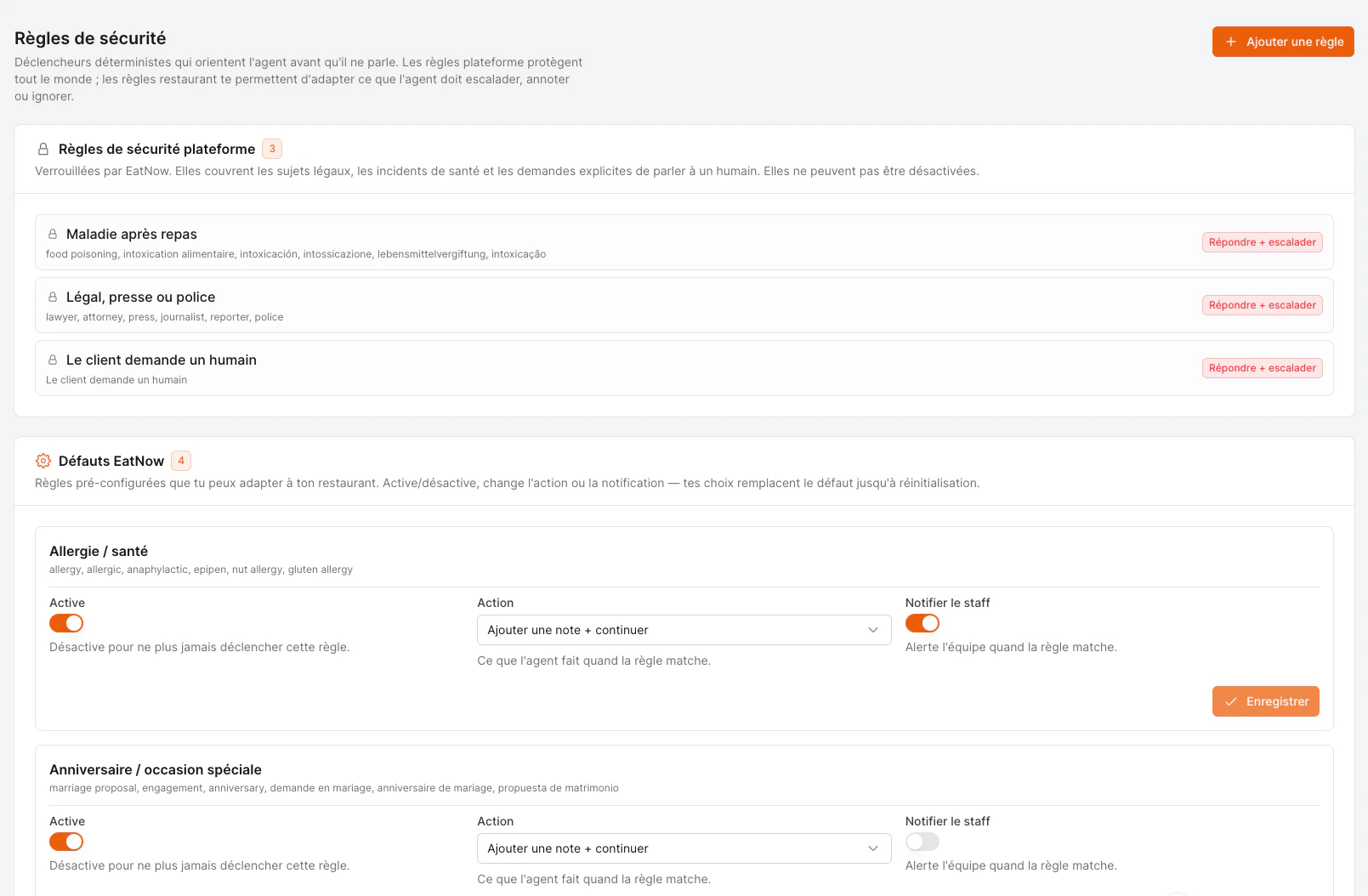
Safety rules: platform protections, EatNow defaults you can tune, and your own custom rules.
Platform safety rules (locked)
These protect every restaurant and can’t be disabled. They cover the situations where an AI should never improvise:- Allergy / health mention
- Illness after dining
- Legal, press, or police
- Customer asks for a human
EatNow defaults (you can tune them)
Pre-configured rules for common situations you might want to handle your own way — for example anniversaries, VIP / privatisation requests, or a repeat no-show customer. For each, you can:- Turn it on or off.
- Change the action (see the table below).
- Toggle staff notification — whether your team gets pinged when it matches.
Your custom rules
Add your own triggers for anything specific to your restaurant. Match on keywords (e.g. terrace, outside) and tell the agent exactly how to react.What can the agent do when a rule matches?
Block list
Some contacts you simply never want the agent to engage — a difficult number, a spammer, a supplier. Add them to the block list (Settings → AI Agent → Block list) and the agent will never reply to or react to them.- Add a number in international format (e.g.
+212600000000). - The contact stays in your normal inbox — only the agent ignores them. This is not the customer blacklist.
- Remove a contact any time with Allow again.
Credits
Credits are how the agent’s usage is metered — each reply consumes a small amount. You’ll see your balance at the top of the AI Agent page.
To add credits, reach out to your EatNow contact. Topping up adds to your balance — it never resets what you already have.
Translating a draft reply so you can read it (see Reviewing conversations) is free and never touches your credits.