
Documentation Index

Fetch the complete documentation index at: https://docs.eat-now.io/llms.txt

Use this file to discover all available pages before exploring further.

The knowledge base is your agent’s memory of everything that makes your restaurant yours. EatNow already provides the operational facts (hours, capacity, deposit policy); the knowledge base covers the rest — the questions only you can answer. You’ll find it under Settings → AI Agent → Knowledge base.
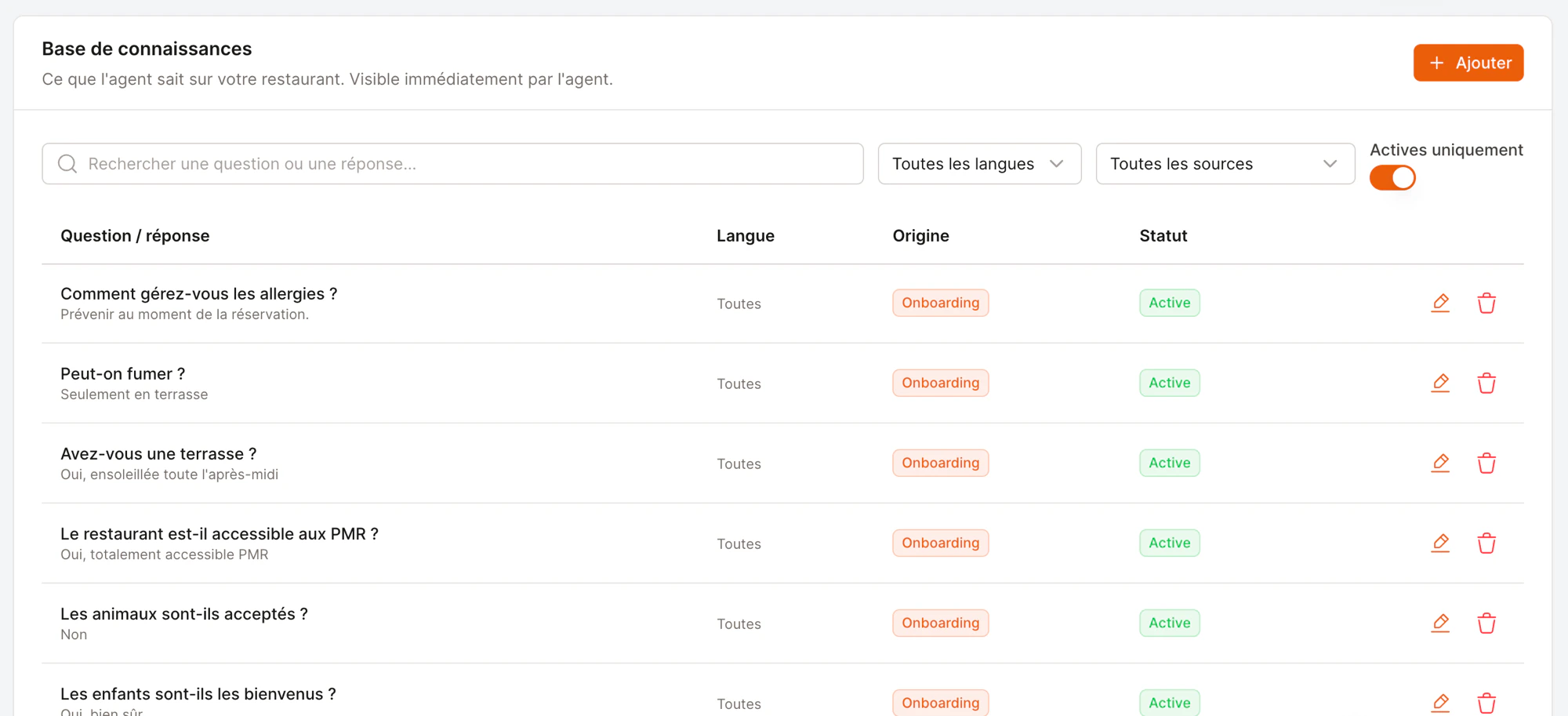
The knowledge base listing questions, answers, language and origin
Each entry is a simple question / answer pair. The agent reads them in real time, so an edit takes effect on the very next conversation.

Three ways to fill it

Onboarding wizard

The fastest start — a guided questionnaire covering the common topics.

Add manually

Write your own question/answer pairs any time.

From a conversation

Turn a reply you wrote in the inbox into a reusable answer in one click.

1. The onboarding wizard

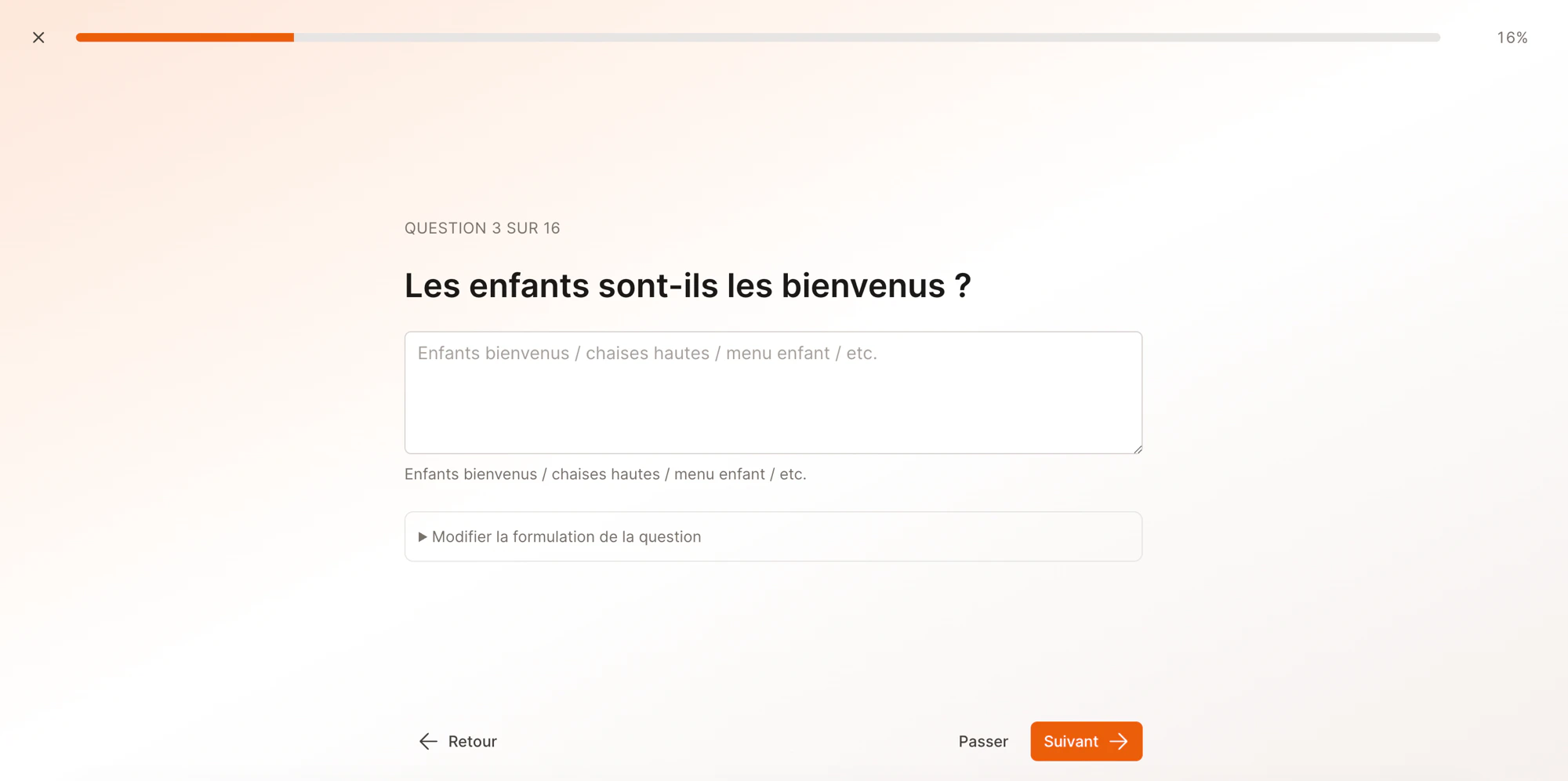
The quickest way to teach your agent the basics. Click Run onboarding from the AI Agent page and answer ~16 common questions, one screen at a time — parking, dress code, kids, pets, accessibility, terrace, smoking, dietary options, WiFi, and more.
An onboarding question about accessibility
  • Skip anything that doesn’t apply to you.
  • Tweak the question wording if you’d phrase it differently.
  • Add your own questions at the end.
Running the wizard again later never deletes what’s there — it only adds. So you can do a quick first pass and come back.

2. Add an entry manually

Click Add and fill in:
FieldWhat to put
QuestionHow a customer would naturally ask it (“Do you have a terrace?”).
AnswerThe reply the agent should give. Keep it factual and friendly.
LanguagePick a language, or Any if the answer works in every language.
Valid from / untilOptional. Use it for time-bound facts — “closed for renovation until March 15” — and the agent stops using it automatically afterwards.

3. Save an answer from a conversation

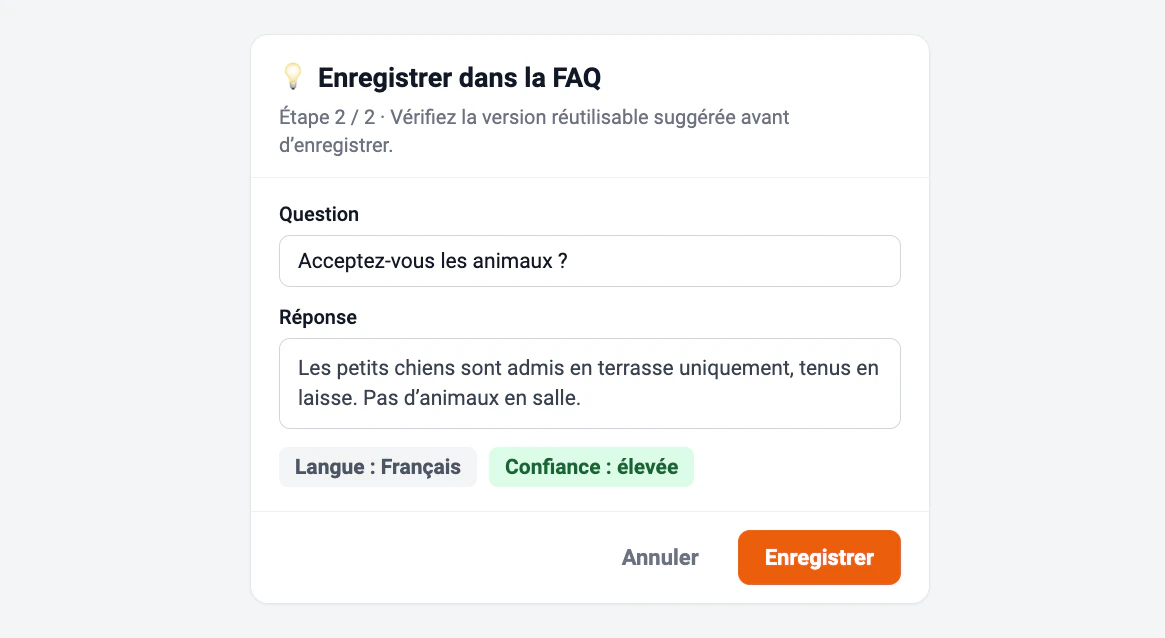
This is how your agent gets smarter over time. When a customer asks something the agent didn’t know, it hands the conversation to you. After you reply in the inbox, click Save to FAQ — EatNow turns your reply into a clean, reusable entry.
The Save to FAQ panel with a suggested question and answer
It rewrites your one-off reply into a general question and answer, picks the language, and shows how confident it is. Review the suggestion, edit anything, and Save — next time, the agent answers on its own.

Finding and managing entries

The list has filters to keep things tidy as it grows:
  • Search by question or answer text.
  • Filter by language or source (Onboarding, Added manually, From a conversation).
  • Show only active entries.
Every entry shows its origin and a status. To retire an answer without losing it, deactivate it — the agent stops seeing it, and you can switch it back on any time.
Quality beats quantity. A handful of clear, correct answers serve your customers far better than dozens of vague ones. Keep answers specific and up to date — especially prices, hours, and seasonal policies.
Avoid putting things EatNow already manages (opening hours, capacity, deposit amounts) into the knowledge base — the agent reads those live from your settings, so duplicating them risks contradictions.