
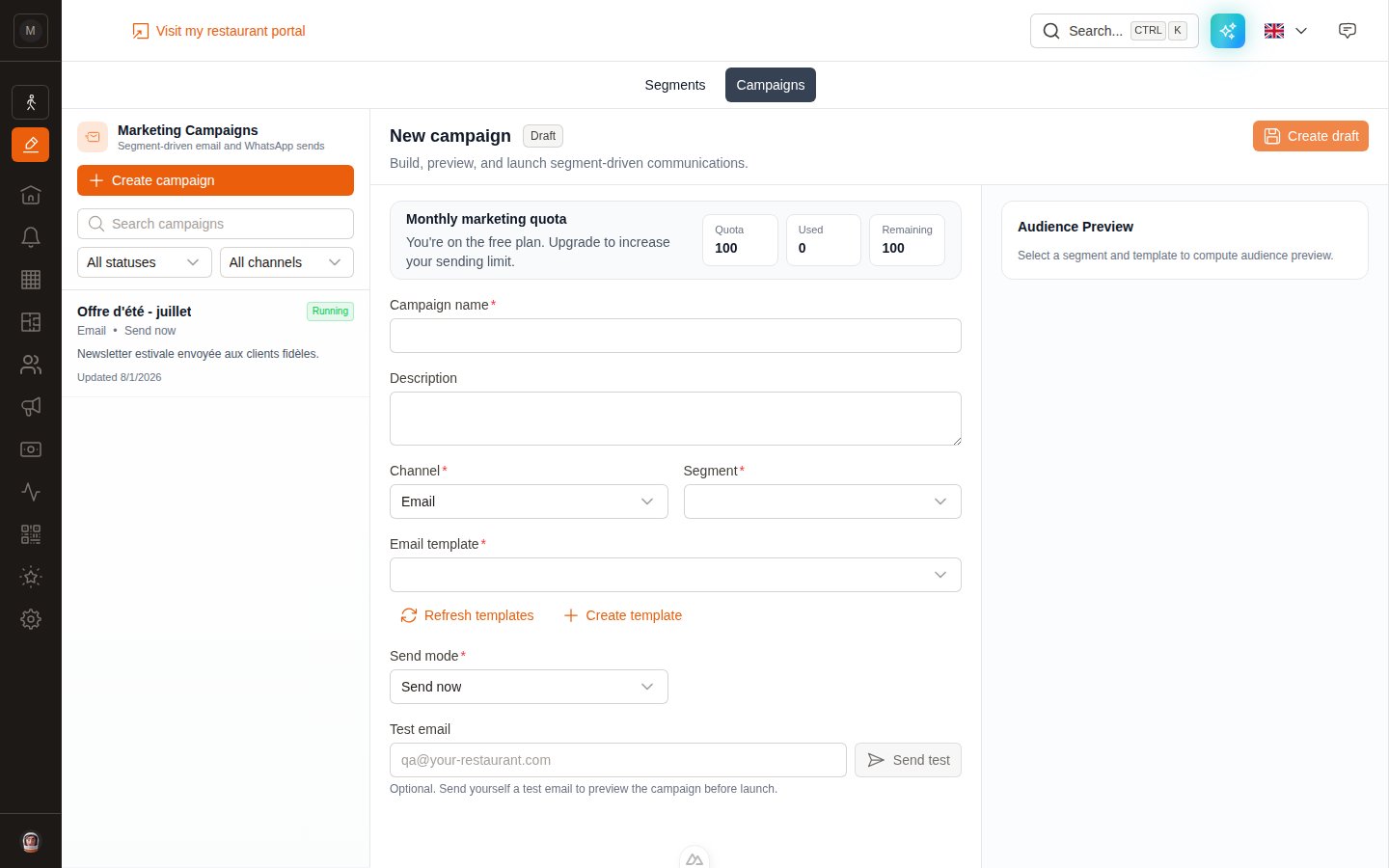
The new campaign form. Everything you need is on one screen.
Before you start
A published segment
Drafts don’t appear in the dropdown. Publish first.
A marketing template
Email: type Marketing. WhatsApp: Marketing stream, approved by Meta.
Create the campaign
1
Click Create campaign
Top-left of the campaign list.
2
Name and describe it
Campaign name is required and internal — your customers never see it. The Description is a note to your future self (“July newsletter, summer menu launch”).
3
Pick the Channel
Email or WhatsApp. Choose carefully: the channel is locked once the campaign is created and cannot be changed afterwards.
4
Pick the Segment
Only published segments appear, each with its version number —
Loyal customers (v1).5
Pick the template
- Email — a single Email template dropdown.
- WhatsApp — two dropdowns, French template and English template. Fill at least one; English acts as the fallback for every non-French recipient.
6
Choose the Send mode
Send now or Scheduled. Picking Scheduled reveals a Scheduled date/time field.
7
Click Create draft
The campaign is saved with the status Draft. Nothing has been sent.
Read the audience preview
As soon as a segment and template are selected, the right-hand panel fills in. This is the single most useful thing on the page — read it before you launch.
Below the figures, Sample recipients shows a handful of real contacts so you can sanity-check that the segment is targeting who you think.
For WhatsApp campaigns you also get Eligible recipient languages — a FR / EN / Other breakdown that tells you at a glance whether you need that English template.
The estimated sending cost
Right below the figures, a card tells you what the send will cost.- Email campaign — Free. Nothing to pay, however many recipients you have.
- WhatsApp campaign — an estimated amount in euros, broken down by country: each recipient is billed at the Meta rate for their country, read from their phone number. A Moroccan customer does not cost the same as a German one.
This is an estimate, not an invoice. The real amount depends on the messages actually delivered, retries of failed sends are billed again, and Meta revises its rate grid from time to time. Recipients whose country could not be read from their phone number are estimated at Meta’s “Other” rate.
Send yourself a test
Do this every single time.- Email campaign — type an address in Test email and click Send test.
- WhatsApp campaign — type a number in Test phone and click Send test. If you attached both languages, a small selector lets you choose Test French or Test English.
Launch or schedule
Both buttons live at the top-right of the campaign.Launch now
Launch now
Available when Send mode is Send now and the campaign is Draft or Paused.On click, EatNow freezes the audience, locks onto the current published version of the segment, saves a copy of the template, and starts sending. Status becomes Running.
Schedule
Schedule
Available when Send mode is Scheduled and the campaign is Draft. Set the date and time, click Schedule, and the status becomes Scheduled.The audience is frozen when the send actually begins, not when you press the button — so a customer who becomes eligible in the meantime is still included.
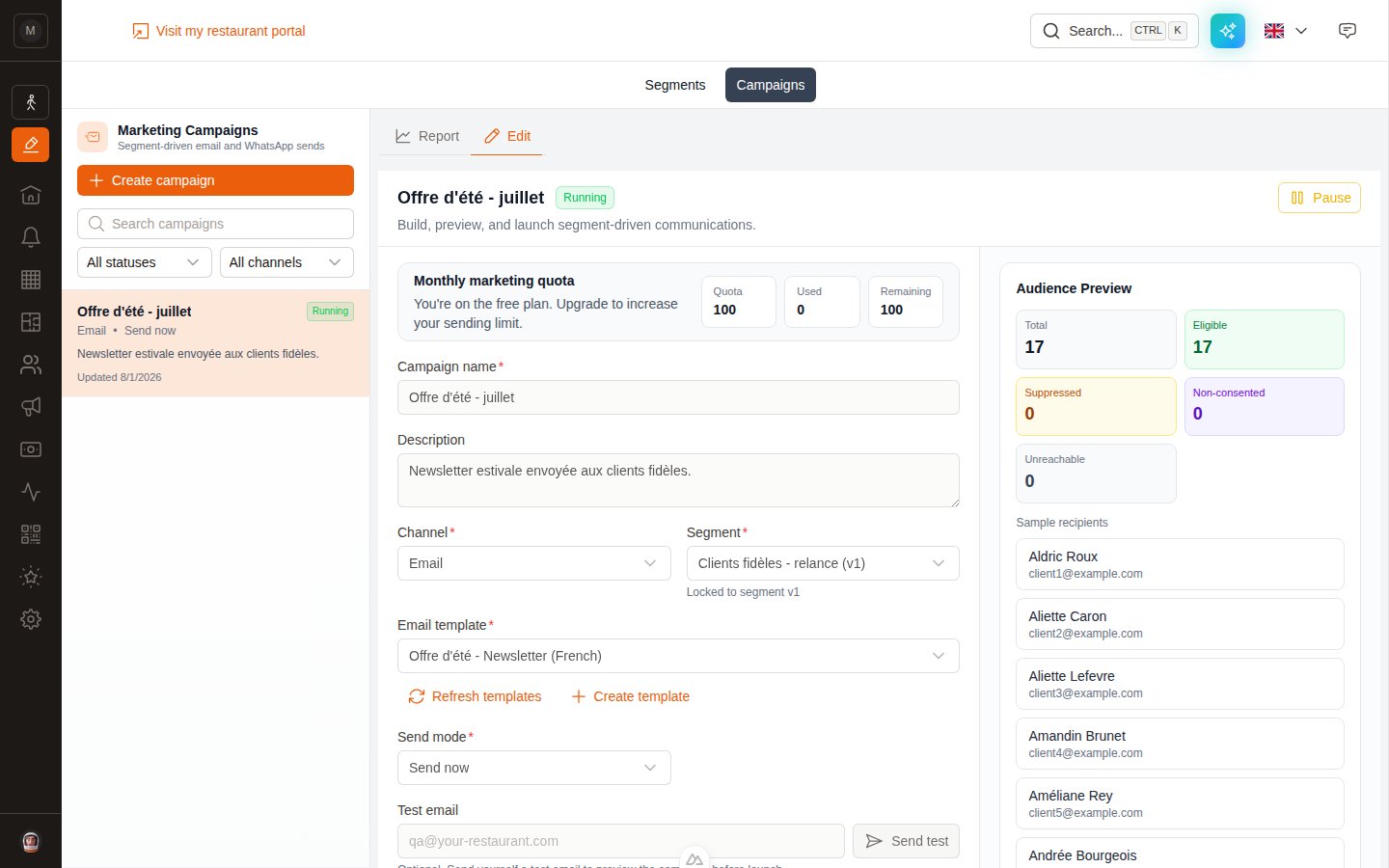
A running campaign. The channel and the locked segment version are shown under the fields.
Statuses
A campaign can only be edited while it is Draft, Scheduled or Paused. Once it’s Running or Completed the form is read-only — the message that went out stays exactly as it was sent.
Pause, resume, cancel, delete
- Pause — stops a Running or Scheduled campaign. Recipients already sent to stay sent.
- Resume — restarts a Paused campaign where it left off. It does not resend to anyone.
- Cancel schedule — turns a Scheduled campaign back into a cancelled one before it ever starts.
- Delete draft — only for campaigns that were never launched.
WhatsApp campaigns, specifically
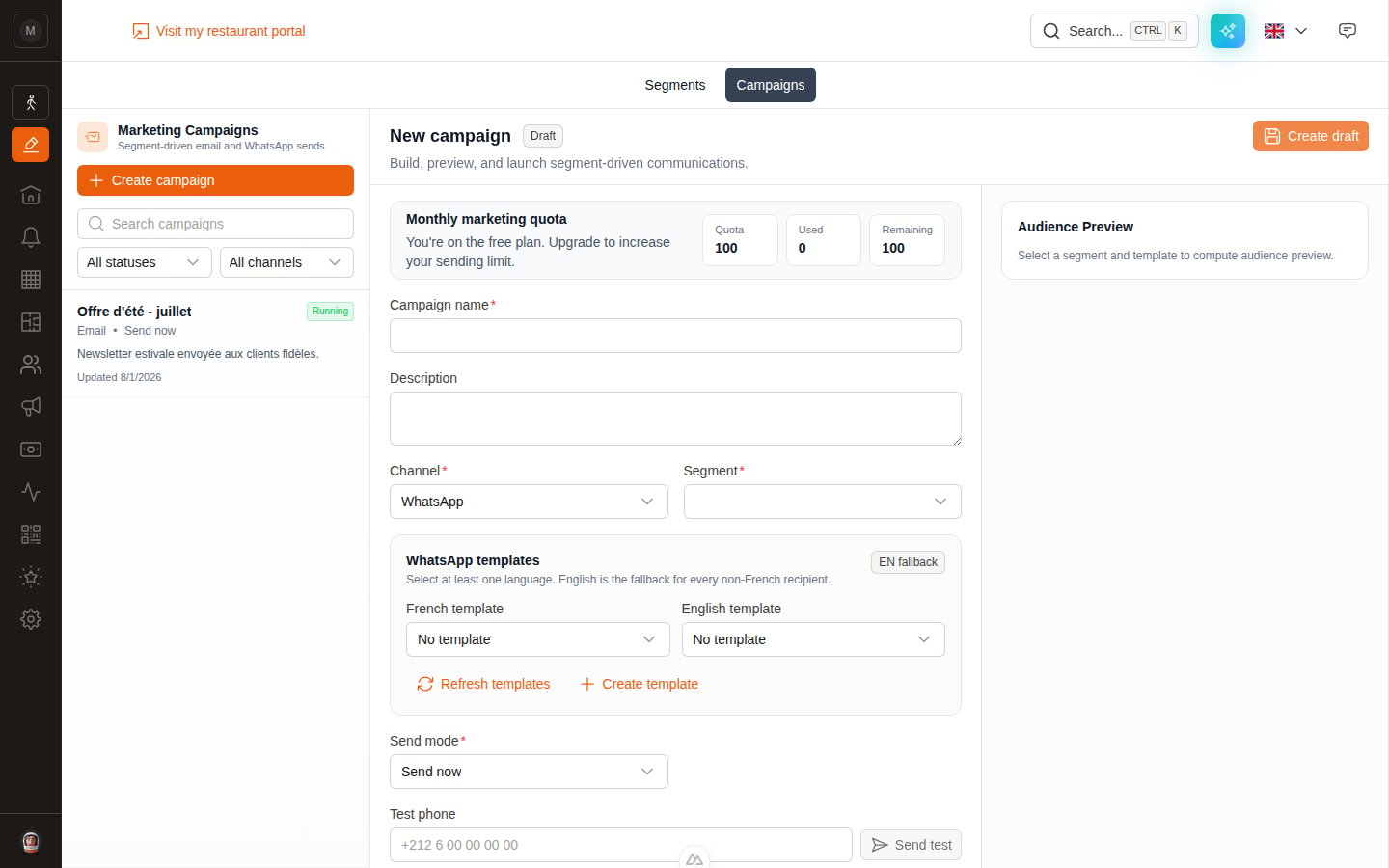
A WhatsApp campaign: one template per language, English as the fallback.
- Two templates, one per language. The
EN fallbackbadge is there to remind you that English covers everyone who isn’t French-speaking. - Meta approval is required. Only templates that are Approved and synced with Meta can be selected.
- Each message is billed by Meta as a Marketing conversation, on top of your EatNow quota.
Next step
Read your report
Contacted, opened, clicked, converted — and the revenue behind it.
Quota & deliverability
Sending limits, unsubscribes and the automatic safety rails.