
1 — Build a segment
A segment is a saved list of customers built from rules: “at least 2 visits”, “hasn’t come in 90 days”, “speaks French”. You can build it by hand or describe it in plain language and let AI write the rules.
2 — Send a campaign
A campaign takes one published segment, one message template (email or WhatsApp), and sends it — now or at a scheduled time. Then it reports back on opens, clicks and bookings.
Where to find it
Open the Marketing entry (megaphone icon) in the left sidebar. It opens on two tabs: Segments and Campaigns.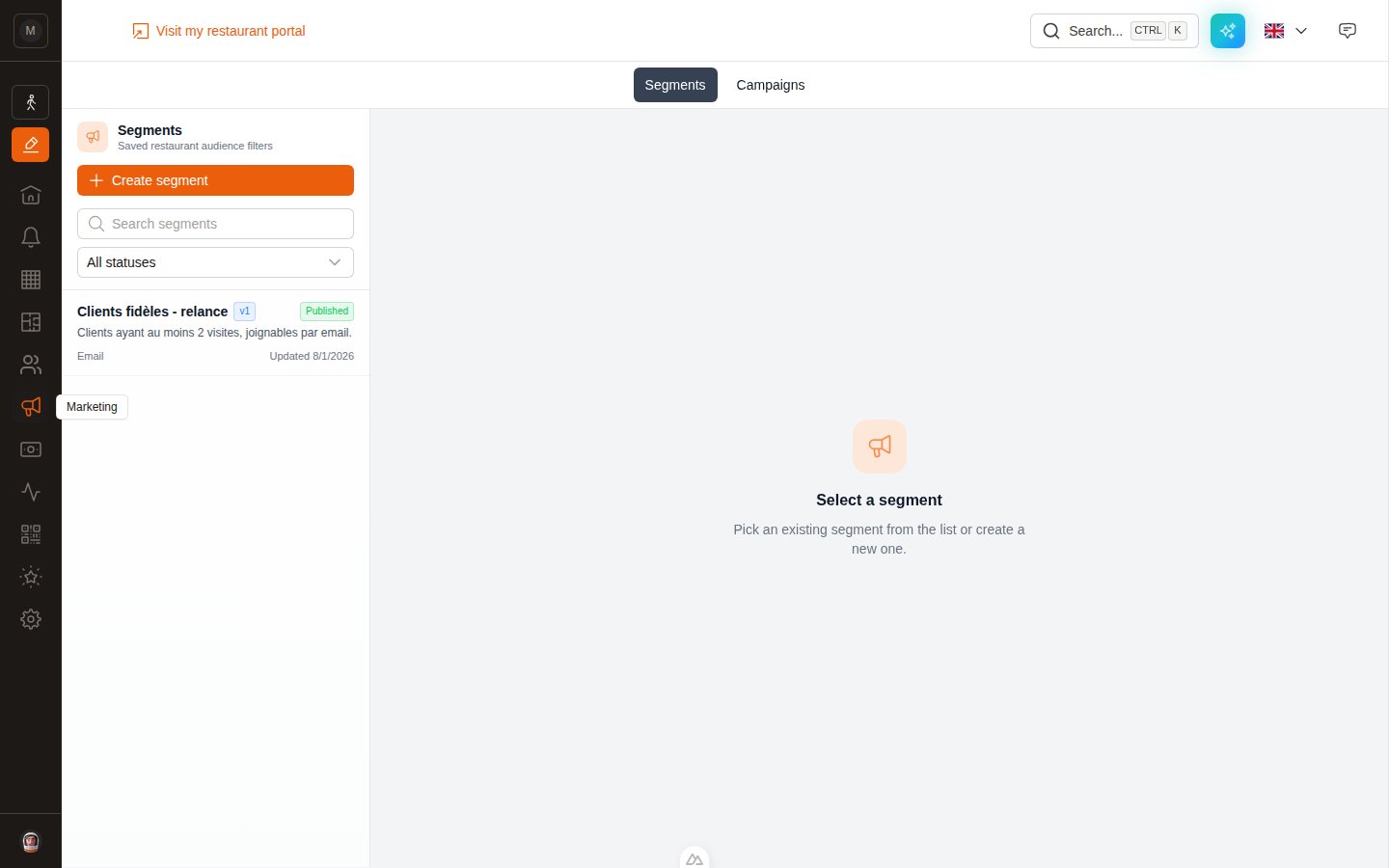
The Marketing entry in the left sidebar.
Don’t see the Marketing entry? Two possible reasons: the Marketing Suite isn’t enabled on your restaurant yet (contact us to activate it), or your user account doesn’t have the marketing permissions. See Who can do what below.
What you can send
Both channels use the same segments and the same reporting. The difference is only in how the message is written and approved.
The full journey
1
Prepare your message template
Email campaigns need a template of type Marketing campaign; WhatsApp campaigns need a template in the Marketing stream, approved by Meta. See Preparing your templates.
2
Build and publish a segment
Define who you’re targeting, check the live preview, then publish. A campaign can only use a published segment. See Segments.
3
Create the campaign
Pick the channel, the segment and the template. EatNow immediately shows you how many people are actually reachable. See Campaigns.
4
Send yourself a test
Always. It costs nothing and catches the typo you’d otherwise send to 800 people.
5
Launch or schedule
Launch now starts sending straight away. Schedule picks a date and time. At that moment the audience is frozen — see below.
6
Read the report
Contacted, opened, clicked, replied, converted. Plus attributed revenue. See Reading your reports.
Two ideas worth understanding
These two behaviours explain most “why did it do that?” questions.Segments are versioned — campaigns lock onto a version
Segments are versioned — campaigns lock onto a version
Every time you click Publish on a segment, EatNow saves a numbered version (v1, v2, v3…). When you launch a campaign, it locks onto the segment version that is published at that moment.That means editing a segment afterwards never changes a campaign that’s already running or finished. Your reports stay honest, and you can keep improving the segment for the next send.
The audience is frozen at launch
The audience is frozen at launch
At the instant you launch (or at the scheduled send time), EatNow computes the recipient list and freezes it. Customers who match the rules a day later are not added mid-flight.Each frozen recipient is filed as eligible, excluded (an active unsubscribe or bounce block), or unreachable (no email address, or no phone number for WhatsApp). Only eligible recipients are sent to.
Who can do what
Marketing permissions are granted per collaborator in Settings → Collaborators. They are split between segments and campaigns:Keep reading
Segments
Build your audience, with rules or with AI.
Templates
Prepare the email or WhatsApp message you’ll send.
Campaigns
Create, test, launch, schedule, pause.
Reports
Understand the funnel and the numbers.
Quota & deliverability
Sending limits, unsubscribes, and safety rails.
FAQ
Quick answers to the usual questions.