
A campaign that is still a Draft has no report yet — you’ll see “Reports become available once the campaign has been launched or scheduled.”
The audience header
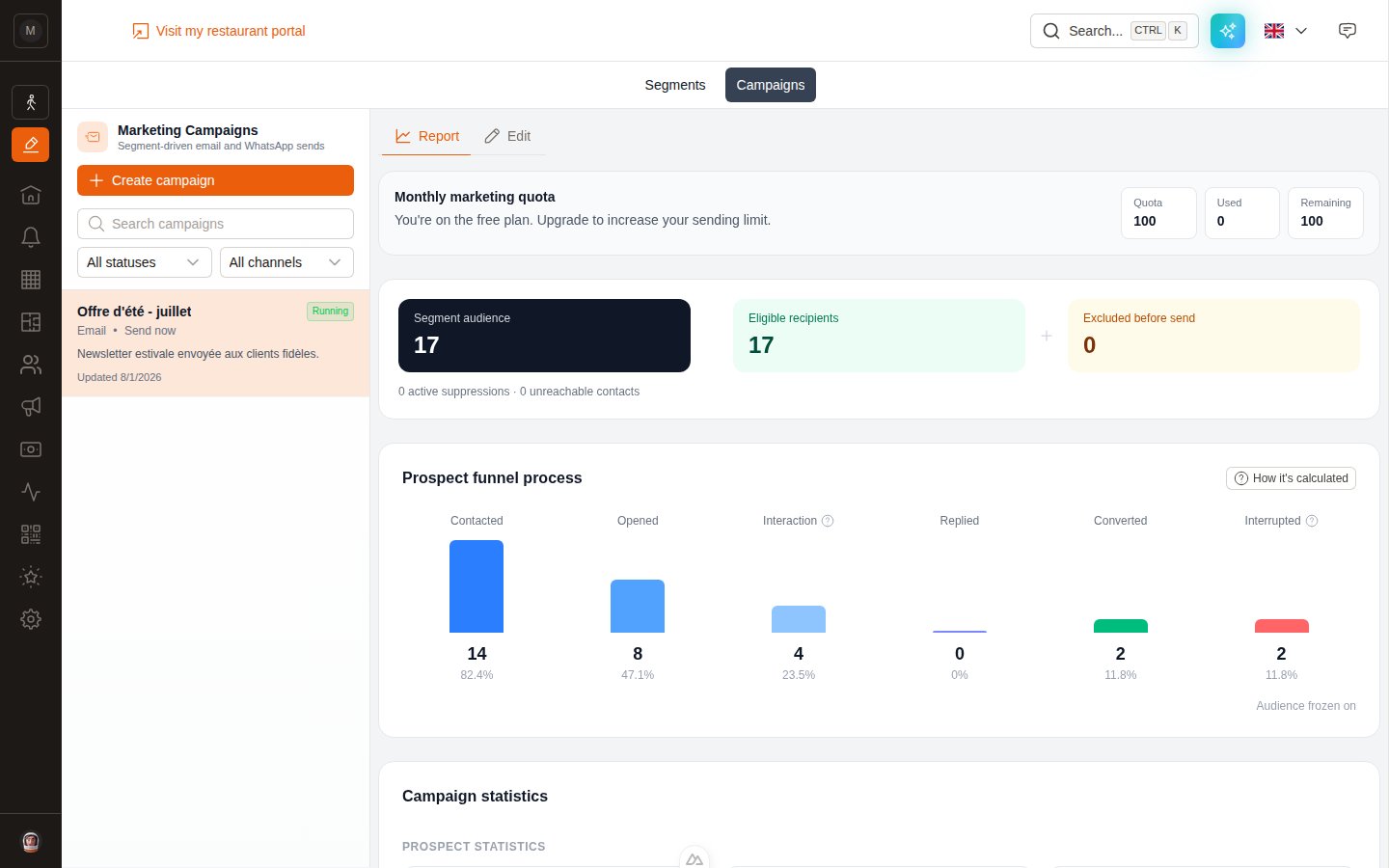
Audience, then the prospect funnel.
- Segment audience — everyone the segment matched at launch.
- Eligible recipients — the ones actually sent to.
- Excluded before send — the difference, broken down underneath into active suppressions and unreachable contacts.
The prospect funnel
Six stages, each with a count and a percentage of eligible recipients.
The How it’s calculated button opens a panel that explains each stage in the app itself.
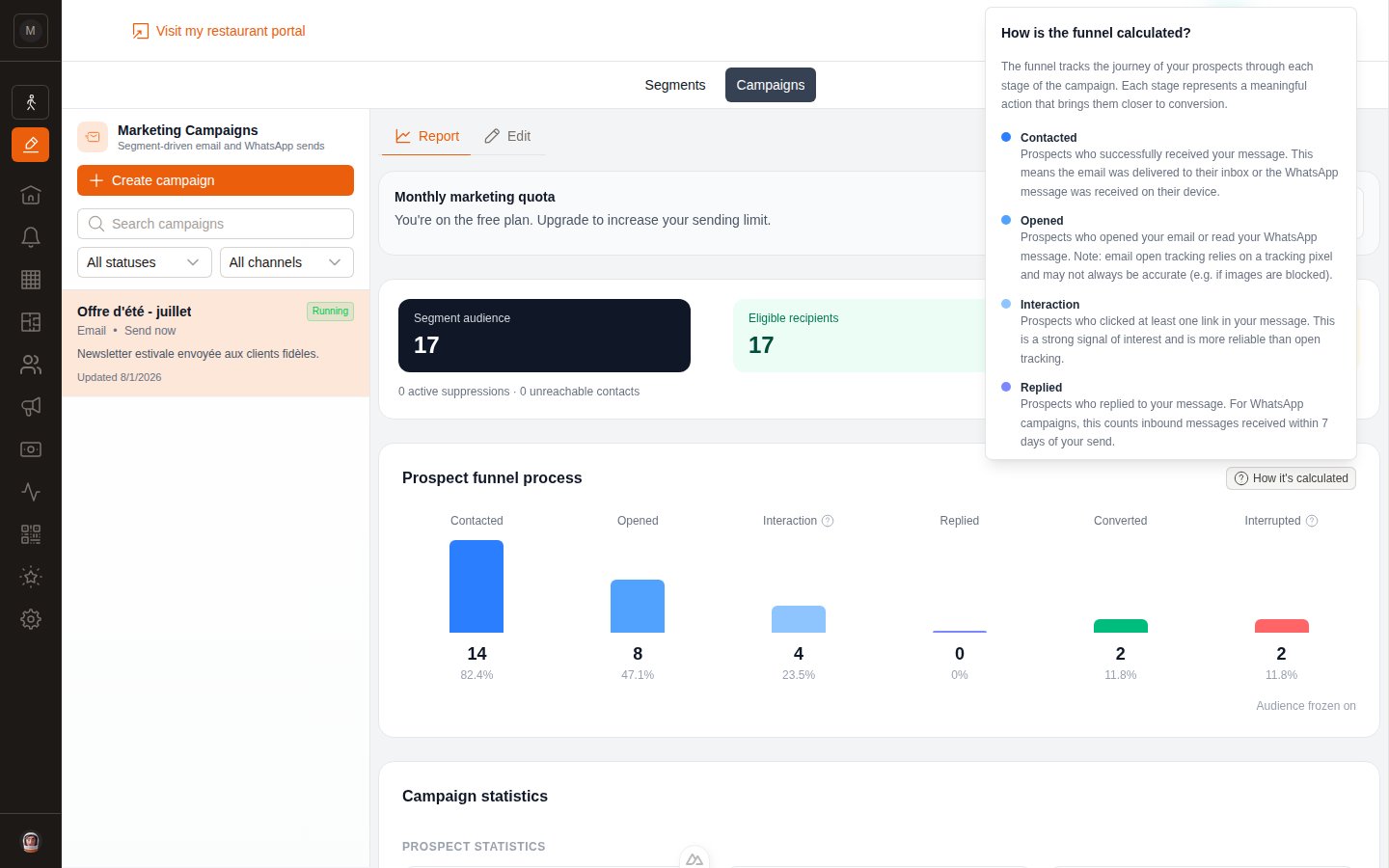
The in-app explanation of every funnel stage.
How conversions are attributed
This is the number that tells you whether the campaign was worth it, so it’s worth knowing the rule:A booking counts as a conversion if the customer books within 7 days of receiving the campaign.
- If the customer clicked a tracked link before booking, the conversion is recorded as click-attributed.
- Otherwise it is send-attributed.
- If both apply, click attribution wins.
Campaign statistics
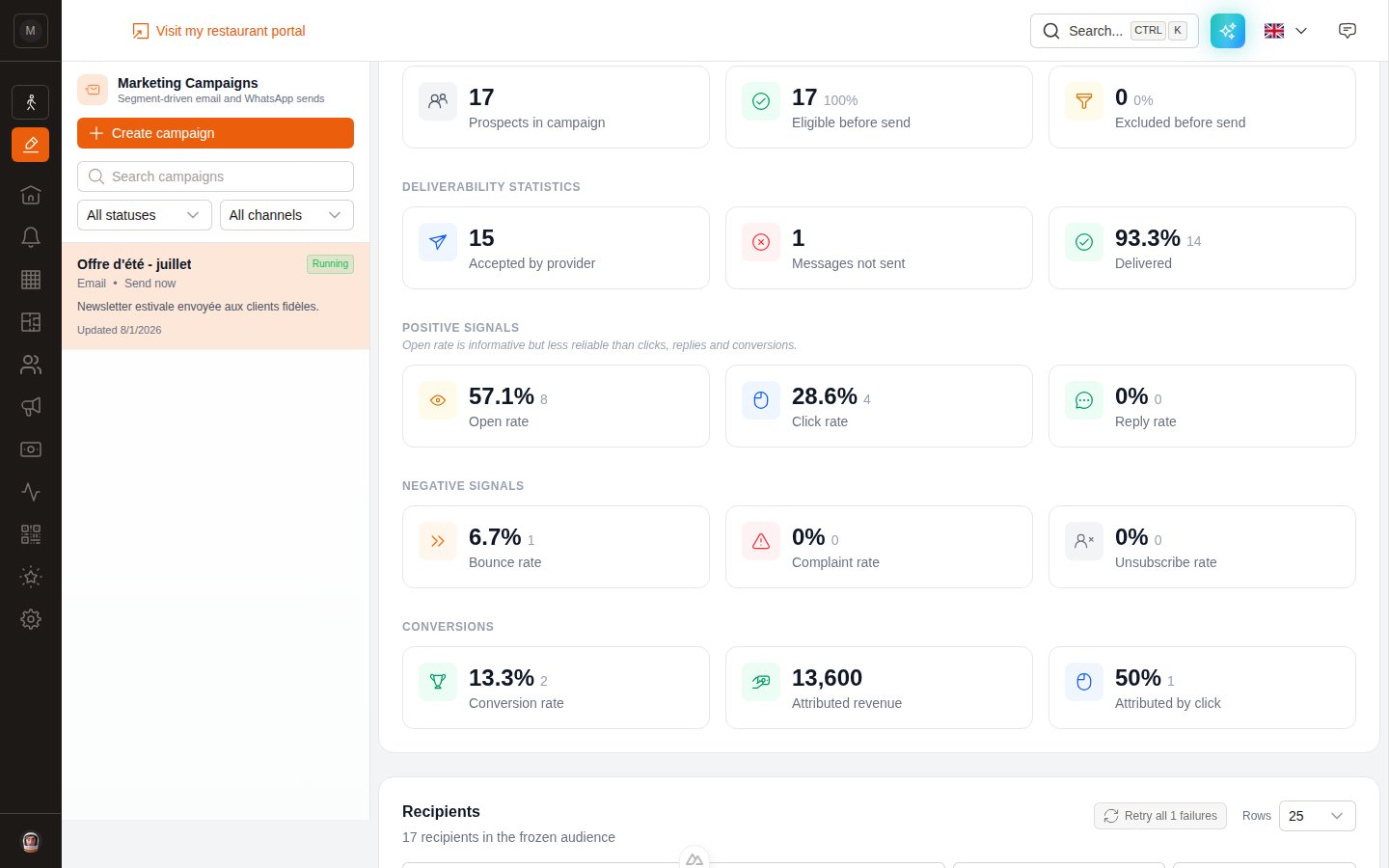
The detailed statistics, grouped by theme.
Prospect statistics
Prospect statistics
- Prospects in campaign — the size of the frozen audience.
- Eligible before send — how many were actually sendable.
- Excluded before send — suppressed or unreachable.
Deliverability statistics
Deliverability statistics
- Accepted by provider — messages the email or WhatsApp provider took charge of.
- Messages not sent — failed at the moment of sending.
- Delivered — confirmed as reaching the recipient.
Positive signals
Positive signals
Open rate, Click rate, Reply rate. Clicks and replies are the honest ones.
Negative signals
Negative signals
Bounce rate, Complaint rate, Unsubscribe rate. A rising bounce rate means your list needs cleaning; a rising complaint rate means you’re sending too often or to the wrong people.
Conversions
Conversions
Conversion rate, Attributed revenue, and Attributed by click — the share of conversions where the customer clicked before booking.
The recipients table
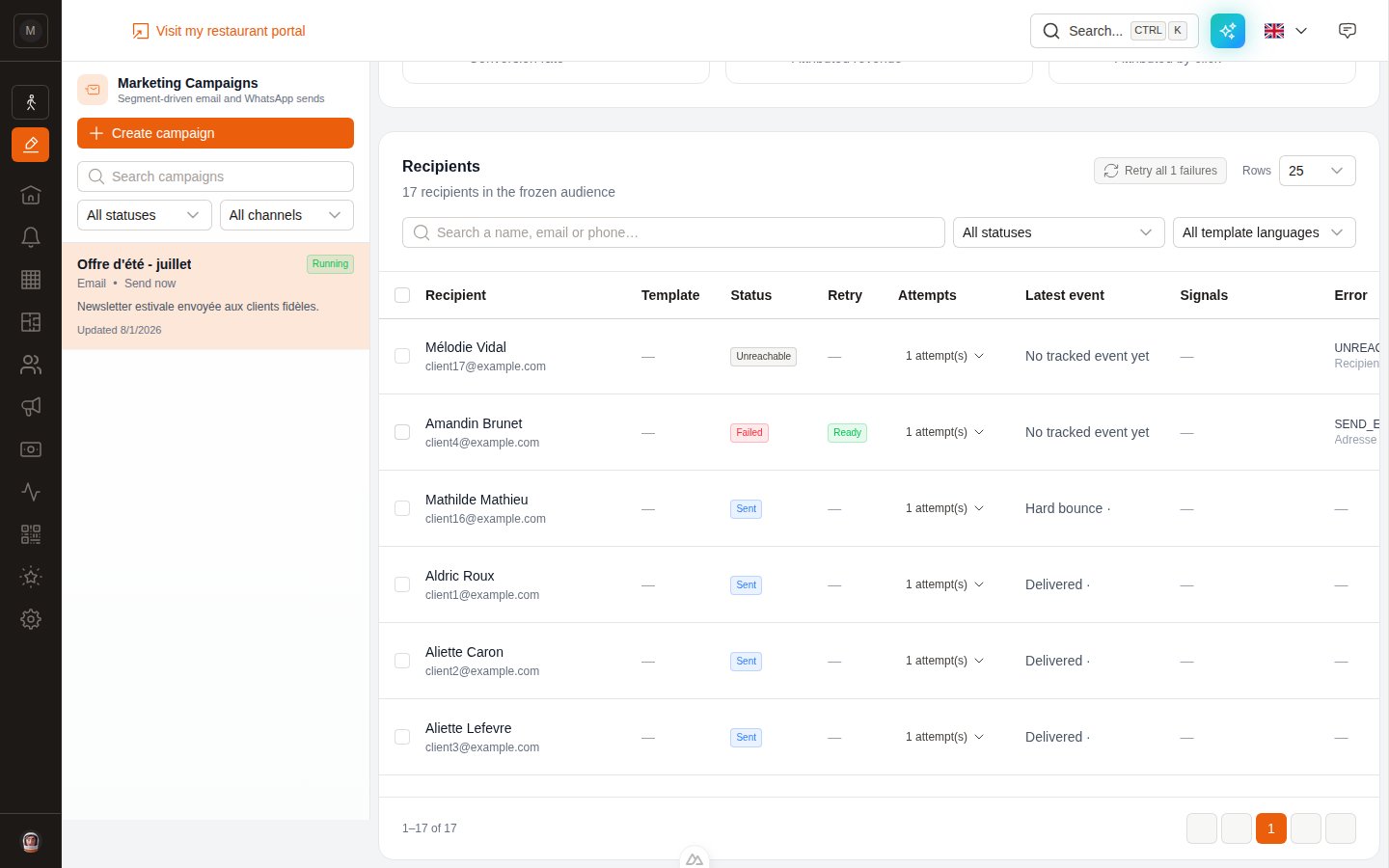
One row per recipient, with filters, search and pagination.
Recipient statuses
Retrying failures
Failures happen — a temporary provider glitch, a WhatsApp configuration problem, a mistyped address. You can retry without recreating the campaign. Available when the campaign is Completed, Failed or Paused.1
Select the failures
Tick individual rows, or use Retry all N failures at the top of the table.
2
Read the triage
EatNow sorts the selection into three groups:
3
Fix what needs fixing
For a missing WhatsApp language, pick the template right inside the retry panel. For a Meta configuration error, fix it in your integration then tick the confirmation checkbox.
4
Start the retry
Click Retry N recipient(s). The frozen audience is unchanged; each new attempt is recorded separately and updates the recipient’s current state.
Next step
Source tracking
Credit every reservation to the platform that generated it — Instagram, Google, TripAdvisor…
Quota & deliverability
Why a campaign pauses itself, and how to keep your list healthy.
FAQ
Quick answers to the usual questions.