> ## Documentation Index
> Fetch the complete documentation index at: https://docs.eat-now.io/llms.txt
> Use this file to discover all available pages before exploring further.
# Your AI Agent
> Meet the EatNow AI agent — a tireless assistant that answers your customers on WhatsApp, takes bookings around the clock, and hands off to your team whenever it should.
Your customers already message you on WhatsApp. The **AI agent** picks up those conversations for you: it answers questions, takes and edits reservations, and replies in your customer's own language — day and night, in seconds.
It runs on top of your [WhatsApp integration](/whatsapp/onboarding) and uses what EatNow already knows about your restaurant (opening hours, capacity, deposit policy) plus the answers you give it. You stay in control the whole time: nothing reaches a customer unless you allow it.
 ## What it does for you
Answers instantly, day and night — even when the restaurant is closed and your team is asleep.
Checks real availability, creates the reservation, and can modify or cancel it later.
Replies in the same language as each customer — French, English, Spanish, Darija, and more.
Answers questions about parking, terrace, dietary options, dress code… from what you teach it.
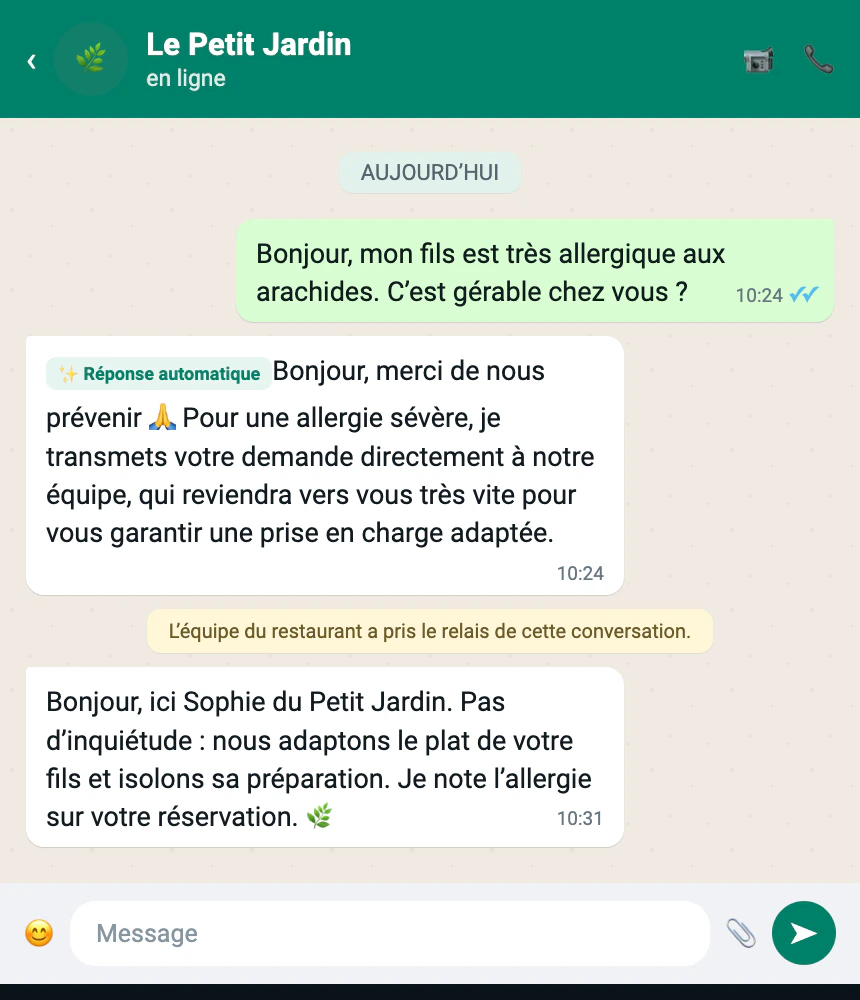
Allergies, complaints, or anything sensitive? It steps back and alerts your team.
In shadow mode, every reply waits for your approval before it's sent.
## See it in action
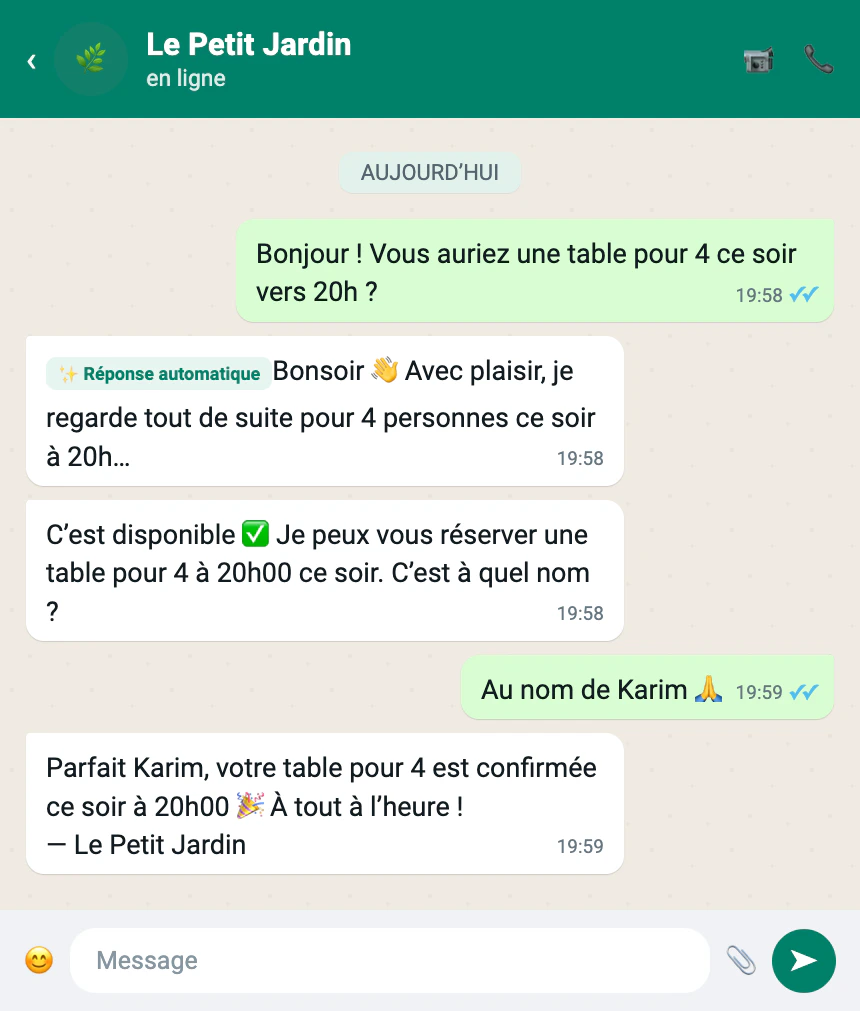
The agent checks live availability, books the table, and confirms — no app, no form, just a chat.
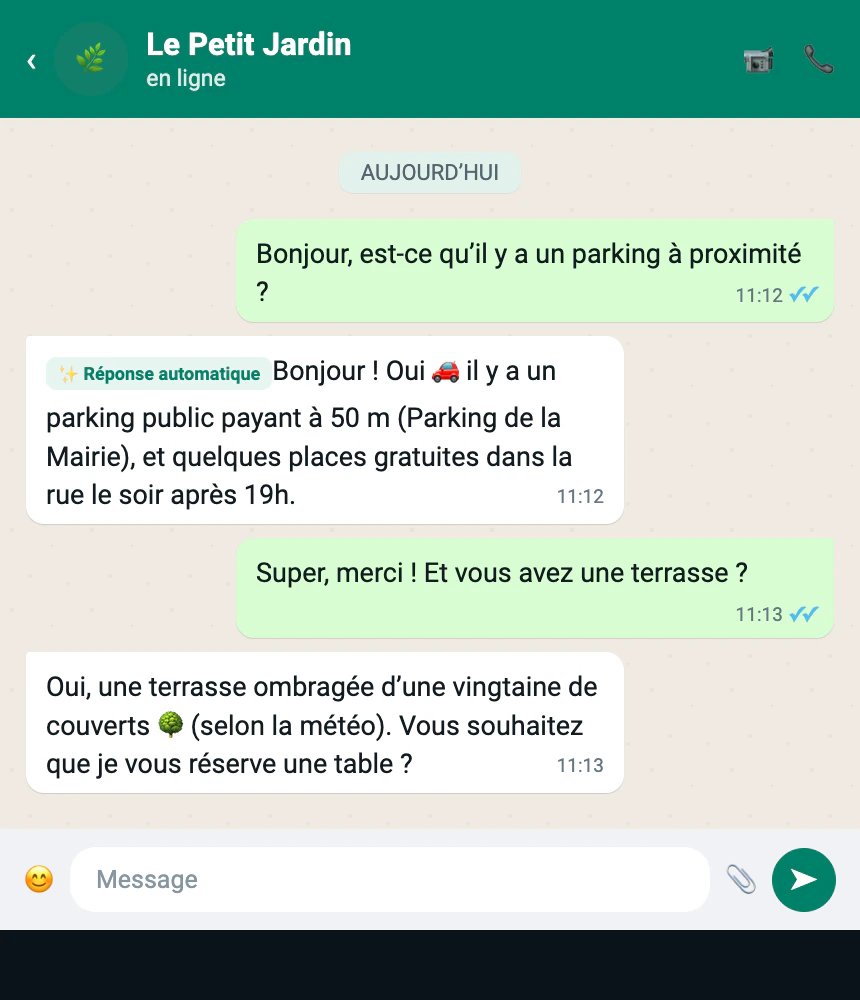
Questions like parking, terrace, or opening hours are answered from your [knowledge base](/ai-agent/knowledge-base).
## What it does for you
Answers instantly, day and night — even when the restaurant is closed and your team is asleep.
Checks real availability, creates the reservation, and can modify or cancel it later.
Replies in the same language as each customer — French, English, Spanish, Darija, and more.
Answers questions about parking, terrace, dietary options, dress code… from what you teach it.
Allergies, complaints, or anything sensitive? It steps back and alerts your team.
In shadow mode, every reply waits for your approval before it's sent.
## See it in action
The agent checks live availability, books the table, and confirms — no app, no form, just a chat.
Questions like parking, terrace, or opening hours are answered from your [knowledge base](/ai-agent/knowledge-base).
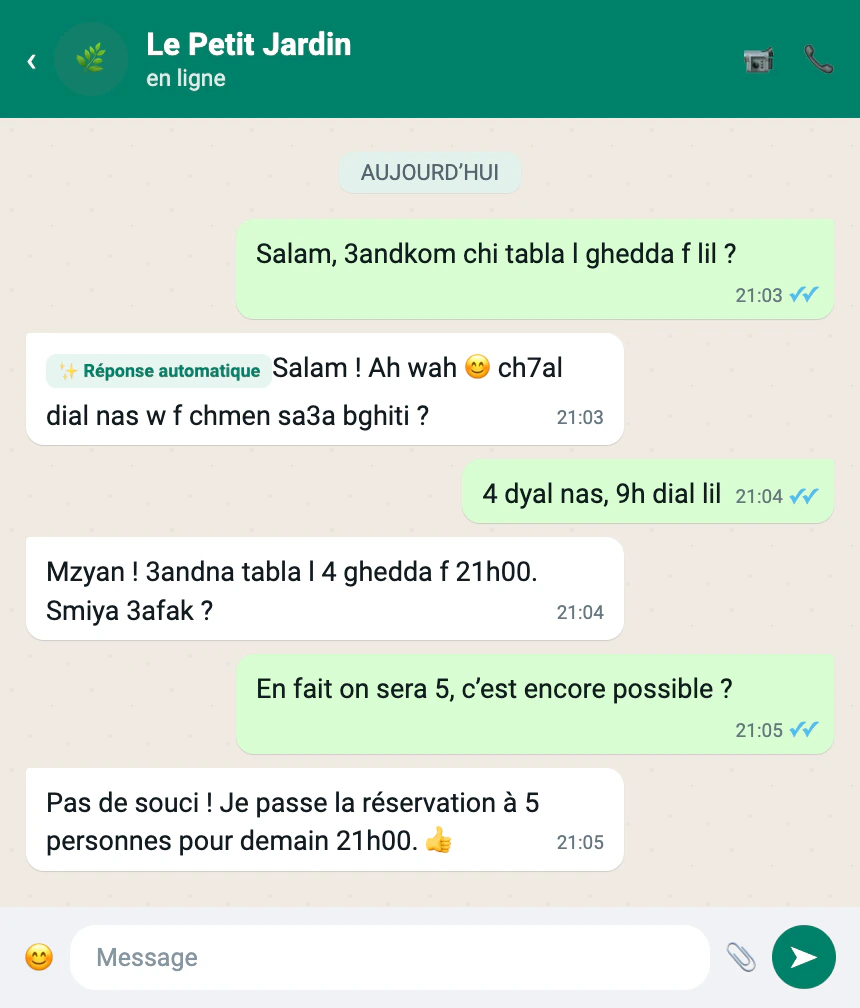
 A customer writes in Darija, the agent replies in Darija — then follows along when they switch to French.
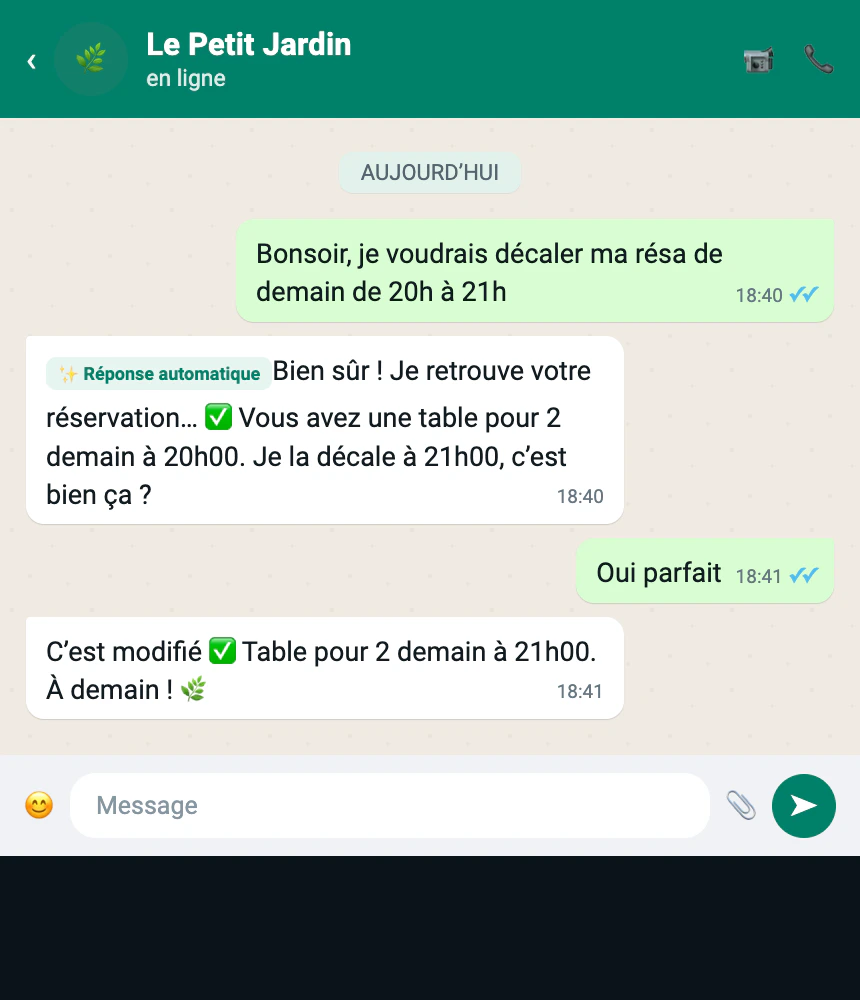
 "Move my table to 9pm?" — the agent finds the reservation, confirms the change, and applies it.
 A peanut allergy comes up. The agent doesn't improvise — it replies kindly and hands the conversation to your team.
 ## How it fits together
The agent is built around three simple ideas:
| Idea | What it means for you |
| ------------------------------------- | ---------------------------------------------------------------------------------------------------------------------------------------------------- |
| **It uses what EatNow already knows** | Opening hours, party-size limits, deposit policy and contact info come straight from your settings — no need to re-enter them. |
| **You teach it the rest** | Things only you know — parking, terrace, dietary options — you provide once during a short [onboarding](/ai-agent/getting-started#teach-your-agent). |
| **You decide how much it can do** | Every capability is a toggle, and a [safety net](/ai-agent/safety-and-controls) routes sensitive topics to a human automatically. |
The agent **never** handles payments or sensitive incidents on its own. When a deposit is required it sends your secure EatNow payment link; when something is delicate it steps aside for your team.
## Ready to start?
Connect WhatsApp, teach your agent, and switch it on safely.
Persona, schedule, and what the agent is allowed to do.
## How it fits together
The agent is built around three simple ideas:
| Idea | What it means for you |
| ------------------------------------- | ---------------------------------------------------------------------------------------------------------------------------------------------------- |
| **It uses what EatNow already knows** | Opening hours, party-size limits, deposit policy and contact info come straight from your settings — no need to re-enter them. |
| **You teach it the rest** | Things only you know — parking, terrace, dietary options — you provide once during a short [onboarding](/ai-agent/getting-started#teach-your-agent). |
| **You decide how much it can do** | Every capability is a toggle, and a [safety net](/ai-agent/safety-and-controls) routes sensitive topics to a human automatically. |
The agent **never** handles payments or sensitive incidents on its own. When a deposit is required it sends your secure EatNow payment link; when something is delicate it steps aside for your team.
## Ready to start?
Connect WhatsApp, teach your agent, and switch it on safely.
Persona, schedule, and what the agent is allowed to do.